
Rollease Acmeda Remote Manual: A Comprehensive Guide
This manual provides detailed instructions for Rollease Acmeda motorized shade remotes, covering pairing, troubleshooting, and advanced features for optimal control.
Rollease Acmeda has become a leading innovator in motorized shade solutions, offering a diverse range of products designed for both residential and commercial applications. These shades combine elegant design with cutting-edge technology, providing convenience, energy efficiency, and enhanced privacy.
Central to the functionality of these systems is the remote control, which allows users to effortlessly manage their shades from a distance. Understanding the capabilities of your Rollease Acmeda remote is crucial for maximizing the benefits of your investment. This guide will walk you through the various features, programming options, and troubleshooting steps to ensure a seamless experience.
From initial setup to advanced customization, we’ll cover everything you need to know to operate your motorized shades with confidence and ease, referencing version 8.4.2020 documentation.
Understanding Remote Control Systems
Rollease Acmeda remote controls utilize radio frequency (RF) technology to communicate with the motorized shades. This wireless connection allows for operation without direct line of sight, offering flexibility in shade placement and control. The remotes are typically multi-channel, enabling users to manage individual shades or groups of shades independently.
Key components include the battery compartment, channel buttons, stop/pause button, and a lock function to prevent accidental operation. Understanding the ARC mode is vital, as it controls standard Rollease Acmeda ARC motors. Signal strength can be affected by interference, so positioning is important.
The remote’s interface is designed for intuitive use, but proper programming and channel configuration are essential for optimal performance, as detailed in documentation V1 ౼ 8.4.2020.
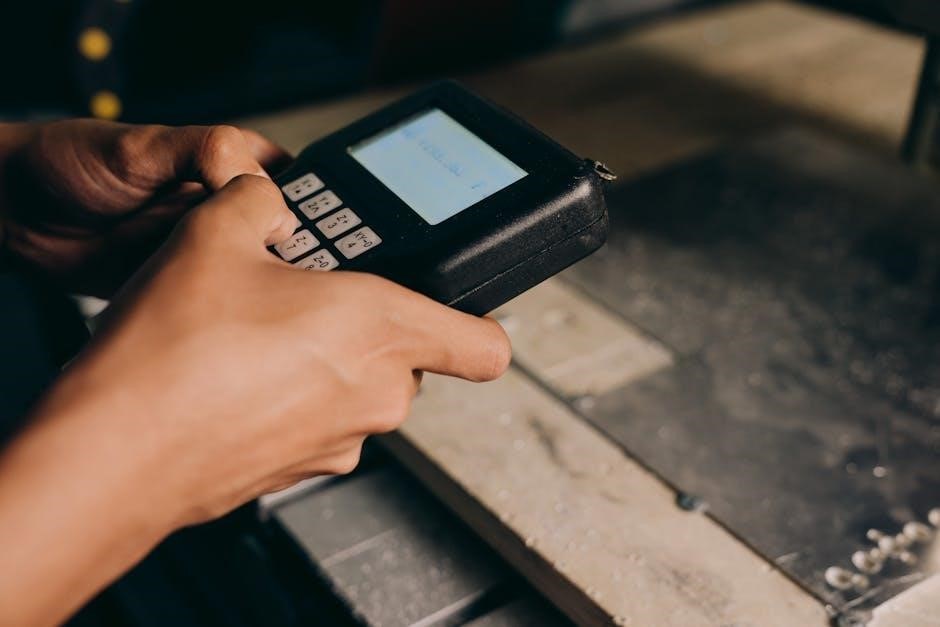
Remote Control Features & Functionality
Rollease Acmeda remotes offer ARC mode, channel configuration (1-15), and the ability to hide/reveal channels for customized shade control and ease of use.
ARC Mode Operation
ARC Mode is designed for controlling standard Rollease Acmeda ARC motors, providing a straightforward operational experience. This mode is typically the default setting for many remotes, ensuring compatibility with a wide range of shade systems. To confirm ARC mode is active, refer to your remote’s display or programming instructions.
When operating in ARC Mode, the remote functions as a direct controller for individual shades or groups of shades programmed to specific channels. Simple up and down commands are executed immediately, offering responsive control. If experiencing issues, ensure the remote is positioned correctly and within range of the motor.
Troubleshooting tip: If the remote isn’t responding, verify the battery is correctly installed and has sufficient charge. Additionally, check for potential radio interference that might be disrupting the signal.
Channel Configuration (1-15 Channels)
Your Rollease Acmeda multi-channel remote offers flexible configuration, allowing you to utilize between 1 and 15 visible channels. This customization enables organization and control of numerous shades or shade groups. Inactive channels are hidden from the display, streamlining the interface for easier operation.
To adjust the number of visible channels, a specific programming sequence is required. Typically, this involves pressing and holding the ‘Channel’ and ‘Stop’ buttons simultaneously until a specific number of flashes indicates the selected channel count. Refer to your remote’s specific model instructions for the precise procedure.
Remember: Properly configuring channels simplifies shade management, especially in larger installations. Experiment with different configurations to find what best suits your needs and preferences for a seamless automated shading experience.
Hiding and Revealing Channels
Rollease Acmeda remotes offer the ability to hide unused channels, decluttering the display and simplifying operation. This feature is particularly useful when managing a large number of shades with varying control groups. Hidden channels remain programmed in the remote’s memory but are not visible for selection.
To reveal hidden channels, a specific sequence is required. Generally, this involves pressing and holding the ‘Channel’ and ‘Stop’ buttons until a designated number of flashes—often 15—are observed. This action restores all 15 channels to visibility. Consult your remote’s model-specific documentation for the exact procedure.
Important Note: Hiding channels doesn’t erase programming; it merely conceals them. This allows for easy restoration when needed, providing a flexible and user-friendly control experience.
Troubleshooting Common Remote Issues
This section details solutions for frequent problems, including battery failures, unresponsive motors, signal interference, and incorrect battery polarity for seamless operation.
Remote Battery Issues & Replacement
A discharged remote battery is a common cause of operational issues. If your remote isn’t responding, the first step is always to check and replace the battery. Ensure you’re using the correctly specified battery type, as indicated within the battery compartment or official documentation (V1 ⏤ 8.4.2020).
Before inserting a new battery, carefully inspect the battery contacts for any corrosion or debris. Clean them gently if necessary. Pay close attention to battery polarity; incorrect insertion will prevent the remote from functioning. A ‘U’ displayed on the screen indicates the remote is unlocked, but proper battery installation is still crucial.
Always dispose of used batteries responsibly, following local regulations. Regular battery replacement, even before complete discharge, can help maintain consistent remote performance and avoid potential programming issues. Remember to consult the Rollease Acmeda support resources if problems persist after battery replacement.
Motor Not Responding: Initial Checks
If your motorized shades aren’t responding to the remote, several initial checks can quickly identify the problem. First, verify the battery within the remote is fresh and correctly installed, paying close attention to polarity. Ensure the remote is within range of the shade motor; excessive distance can weaken the signal.
Next, examine the wiring connections for the motorized shades themselves. Loose or disconnected wires can interrupt power and communication. Confirm the DC Power Distribution Panel is functioning correctly and supplying adequate voltage. Radio interference or shielding can also disrupt the signal; reposition the remote away from potential sources.
Attempt a reset and reprogram of the shade, as outlined in the programming section of this manual. If the issue persists, consult the troubleshooting guide or contact Rollease Acmeda customer support for further assistance.
Radio Interference & Signal Strength
Maintaining a strong signal between your Rollease Acmeda remote and motorized shades is crucial for reliable operation. Radio interference from other electronic devices can significantly weaken this connection. Common culprits include Wi-Fi routers, Bluetooth devices, and even certain types of lighting.
To mitigate interference, try repositioning the remote and the shade motor, keeping them away from potential sources. Ensure there are no large metal objects obstructing the signal path. If interference persists, consider relocating the DC Power Distribution Panel.
Check the remote’s battery level, as a low battery can reduce signal strength. A direct line of sight between the remote and the shade generally provides the strongest signal. If problems continue, consult the troubleshooting section for advanced solutions.
Incorrect Battery Polarity
Ensuring correct battery polarity is paramount when installing or replacing batteries in your Rollease Acmeda remote control. Inserting batteries with reversed polarity – positive where negative should be, and vice versa – can prevent the remote from functioning correctly and potentially damage the internal circuitry.
Always double-check the battery compartment for clearly marked positive (+) and negative (-) indicators. Align the batteries accordingly. If the motor isn’t responding after a battery change, this is one of the first things to verify.
Incorrect polarity can also lead to erratic behavior or a complete lack of response from the remote. Avoid using force during battery installation; if it doesn’t fit easily, re-examine the polarity markings.
Pairing & Programming the Remote
Successfully pairing and programming your Rollease Acmeda remote ensures seamless control of your motorized shades, unlocking personalized functionality and convenience.
Pairing a Remote to Motorized Shades
Establishing a connection between your Rollease Acmeda remote and motorized shades is a crucial first step. Begin by ensuring the motor has power and is within range of the remote. Locate the lock button on the remote’s battery compartment; a ‘U’ indicates it’s unlocked. Interestingly, some users report needing to lock the remote to initiate pairing, then unlock it afterward – a quirk to be aware of.
Press and hold the programming button on the motor (consult your motor’s specific documentation for location). Simultaneously, press and hold the desired channel button on the remote. Observe for a visual confirmation, such as a flashing light on both the motor and remote, signifying successful pairing. If pairing fails, repeat the process, ensuring minimal interference and correct battery polarity. Remember to test the paired channel to confirm functionality.
Locking and Unlocking the Remote
The Rollease Acmeda remote features a locking mechanism to prevent accidental operation and preserve battery life. To unlock the remote, locate the lock button situated on the right top of the battery compartment. Press and hold this button until a ‘U’ appears on the remote’s screen – this confirms the remote is now unlocked and ready for use.
Conversely, to lock the remote, repeat the same process: press and hold the lock button until the ‘U’ disappears or changes to a lock symbol. Note the counterintuitive behavior reported by some users: the remote may need to be locked before pairing can be successfully initiated, then unlocked afterward. Always verify the lock status before attempting to control your shades, and remember to replace the battery with the correctly specified type.
Factory Resetting a Motor
When encountering persistent programming issues or unresponsive shades, a factory reset of the motor may be necessary. This process clears the motor’s memory, returning it to its original, out-of-the-box state, ready for re-pairing with your Rollease Acmeda remote. The specific reset procedure isn’t explicitly detailed in the provided snippets, but it’s presented as the most dependable solution for resolving complex motor programming problems.
Before initiating a factory reset, ensure you have access to your remote and are prepared to re-program the shades. Following the reset, you’ll need to re-establish the connection between the remote and the motor, effectively teaching the motor to respond to your remote’s signals once again. This is a crucial step in restoring full functionality.
Advanced Troubleshooting & Solutions
For complex issues, consider resetting and reprogramming shades, checking wiring connections, and addressing continuous movement problems for optimal performance.
Continuous Shade Movement Problem
If your Rollease Acmeda motorized shade exhibits continuous movement, several factors could be contributing to this issue. First, ensure the remote control isn’t inadvertently sending a constant up or down signal. Try temporarily removing the battery from the remote to see if the shade stops.
Next, carefully inspect the wiring connections at both the motor and the power source; Loose or damaged wiring can cause erratic behavior. A thorough reset and reprogramming of the shade is often effective in resolving programming glitches that lead to continuous operation.
Consider potential radio interference that might be disrupting the signal. Finally, if the problem persists, contact Rollease Acmeda customer support for further assistance, as it could indicate a motor malfunction requiring professional attention.
Wiring Checks for Motorized Shades
When troubleshooting motorized shade issues, a meticulous wiring check is crucial. Begin by verifying the power supply to the motor, ensuring it receives the correct voltage. Inspect all wiring connections at the motor itself, the power distribution panel, and any intermediary connection points.
Look for loose wires, damaged insulation, or corroded connectors. Securely tighten any loose connections and replace any damaged wiring immediately. Ensure proper polarity is maintained throughout the wiring system. Incorrect polarity can cause erratic motor behavior or prevent operation altogether.
If using a DC power distribution panel, confirm the voltage settings are appropriate for your shades. Always disconnect power before performing any wiring checks to prevent electrical shock.
Resetting and Reprogramming Shades
If shades aren’t responding, resetting and reprogramming may be necessary. Begin by disconnecting power to the motor for at least 10 seconds. This clears the motor’s memory. Then, reapply power and initiate the pairing process with your remote, following the instructions in the ‘Pairing a Remote’ section.
For persistent issues, a factory reset of the motor might be required. Consult the specific motor documentation for the reset procedure, as it varies between models. After a factory reset, you’ll need to completely reprogram the shade, including setting upper and lower limits.
Ensure the remote is in ARC mode for standard Rollease Acmeda motors. Double-check channel configuration to confirm the shade is assigned to the correct channel.
Motor Control & Adjustment
This section details how to reverse shade direction and adjust voltage for DC power distribution panels, ensuring smooth and reliable operation of your shades.
Reversing Shade/Blind Direction
Occasionally, a motorized shade may need its direction reversed – for example, if it’s retracting instead of lowering when commanded. Fortunately, Rollease Acmeda remotes offer a straightforward method for correcting this. The process typically involves accessing a specific programming sequence within the remote’s functionality.
Generally, this requires simultaneously pressing and holding certain buttons, such as the Up and Down buttons, for an extended period. While holding these buttons, observe the shade’s motor for a slight movement or a change in its behavior. This indicates the direction has been successfully reversed.
Important Note: The exact button combination and duration may vary slightly depending on the specific remote model. Refer to the official Rollease Acmeda documentation (V1 ⏤ 8.4.2020) for precise instructions tailored to your remote. Always ensure the shade is clear of obstructions during this process.
Adjusting Voltage for DC Power Distribution Panel
Proper voltage adjustment is crucial for optimal performance and longevity of your Rollease Acmeda motorized shades connected to a DC Power Distribution Panel. Incorrect voltage levels can lead to sluggish operation, motor damage, or even complete system failure. The DC Power Distribution Panel supplies power to multiple shades, making accurate settings vital.
Adjustment typically involves using a multimeter to measure the output voltage of the panel and comparing it to the voltage requirements specified for your particular shades; Caution: This process should only be performed by a qualified technician familiar with electrical systems.
Carefully follow the panel’s instructions for voltage adjustment, making small incremental changes and re-measuring after each adjustment. Always prioritize safety and disconnect power before making any modifications. Refer to the official Rollease Acmeda documentation (V1 ⏤ 8.4.2020) for specific guidance.

Safety Precautions & Maintenance
Always prioritize safety during operation and maintenance. Replace batteries with the correct type, keep the remote clear during use, and avoid repairs yourself.
General Safety Guidelines
Prioritize safety when operating your Rollease Acmeda motorized shades. Do not attempt repairs or adjustments yourself, as this could void warranties and create hazardous situations. Keep the remote control and motorized shades clear of obstructions during operation to prevent damage or injury. Ensure children and pets are a safe distance away from moving shades.

Always disconnect power before performing any maintenance. Never expose the remote to excessive moisture or extreme temperatures. Use only the specified battery type for replacement, and handle used batteries responsibly according to local regulations. Avoid dropping or impacting the remote, as this can damage internal components. Regularly inspect the shades for any signs of wear or damage, and address issues promptly;
Be mindful of pinch points and potential entanglement hazards. Never allow anyone to climb on or hang from the shades. If you notice any unusual behavior, such as continuous movement or unresponsive controls, discontinue use and consult the troubleshooting section or customer support.
Battery Replacement Guidelines
Maintaining optimal remote performance requires timely battery replacement. When the remote exhibits reduced range or responsiveness, it’s likely time for new batteries. Always use the correctly specified battery type, as indicated in the remote’s battery compartment or official documentation. Incorrect battery types can damage the remote and void the warranty.
Exercise caution when replacing batteries. Ensure correct polarity – matching the positive (+) and negative (-) terminals. Improper polarity can cause irreversible damage. Gently pry open the battery compartment, typically located on the back or side of the remote. Dispose of used batteries responsibly, following local environmental regulations for battery recycling.
After replacing the batteries, test the remote’s functionality. If the remote still doesn’t operate correctly, double-check the battery polarity and ensure a secure connection. Consider a factory reset if issues persist, following the instructions outlined in the programming section.
Remote Control Maintenance
To ensure the longevity and reliable operation of your Rollease Acmeda remote, regular maintenance is recommended. Keep the remote clean by wiping it with a soft, dry cloth. Avoid using abrasive cleaners or solvents, as these can damage the surface and internal components.
Protect the remote from extreme temperatures and humidity. Do not expose it to direct sunlight for extended periods. Store the remote in a dry, safe place when not in use. Avoid dropping or subjecting the remote to physical shock, as this can damage the internal circuitry.
Periodically inspect the battery compartment for corrosion. If corrosion is present, carefully clean it with a cotton swab dipped in rubbing alcohol. Always replace batteries when they are discharged to prevent leakage and potential damage.
Rollease Acmeda Support & Resources
Access official documentation at rolleaseacmeda.com (V1 ⏤ 8.4.2020) and reach customer support for assistance with your motorized shade system.
Accessing Official Documentation (V1 ౼ 8.4.2020)
Rollease Acmeda provides comprehensive documentation online at their official website, rolleaseacmeda.com. This resource, versioned as V1 ⏤ 8.4.2020, contains detailed guides, specifications, and troubleshooting information for all their motorized shade systems and remote controls. Users can find answers to frequently asked questions, download user manuals in PDF format, and access technical drawings for installation purposes.
The documentation covers a wide range of topics, including remote pairing procedures, channel configuration, ARC mode operation, and factory reset instructions. It also provides guidance on resolving common issues such as motor responsiveness, radio interference, and battery problems. Furthermore, the online resources include safety precautions and maintenance guidelines to ensure the longevity and proper functioning of your Rollease Acmeda shades. Locating and utilizing this documentation is a crucial first step in addressing any concerns or maximizing the benefits of your automated shading solution.
Contacting Customer Support
For personalized assistance with your Rollease Acmeda motorized shade remote, direct contact with their customer support team is readily available. You can reach them through various channels, ensuring a convenient support experience. Their official website, rolleaseacmeda.com, provides a dedicated support section with contact forms and frequently asked questions.
Alternatively, you can connect with a representative via phone to discuss specific issues or seek immediate guidance. Rollease Acmeda’s headquarters are located at 750 E. Main Street, 7th Floor, Stamford, CT, 06902. When contacting support, be prepared to provide details about your motor model, remote control type, and a clear description of the problem you are encountering. This will help them diagnose the issue efficiently and offer the most effective solution. Prompt and helpful support is a cornerstone of the Rollease Acmeda customer experience.